Motion Capture
SaaS Product
Case Study: UI / UX Project
My most recent work explored revolutionizing ageing B2B, SAAS products for a lead motion capture solutions company. An ongoing company goal to overhaul and repair the brand’s status as top-dog of their industry meant that investing in both customer voice and providing a solution that made the barrier of entry to new users and experts alike was needed. This project was relatively long-form and undertaken behind the scenes for 2 years, intermittently being crafter between my other UI design duties on other projects.
Single Platform
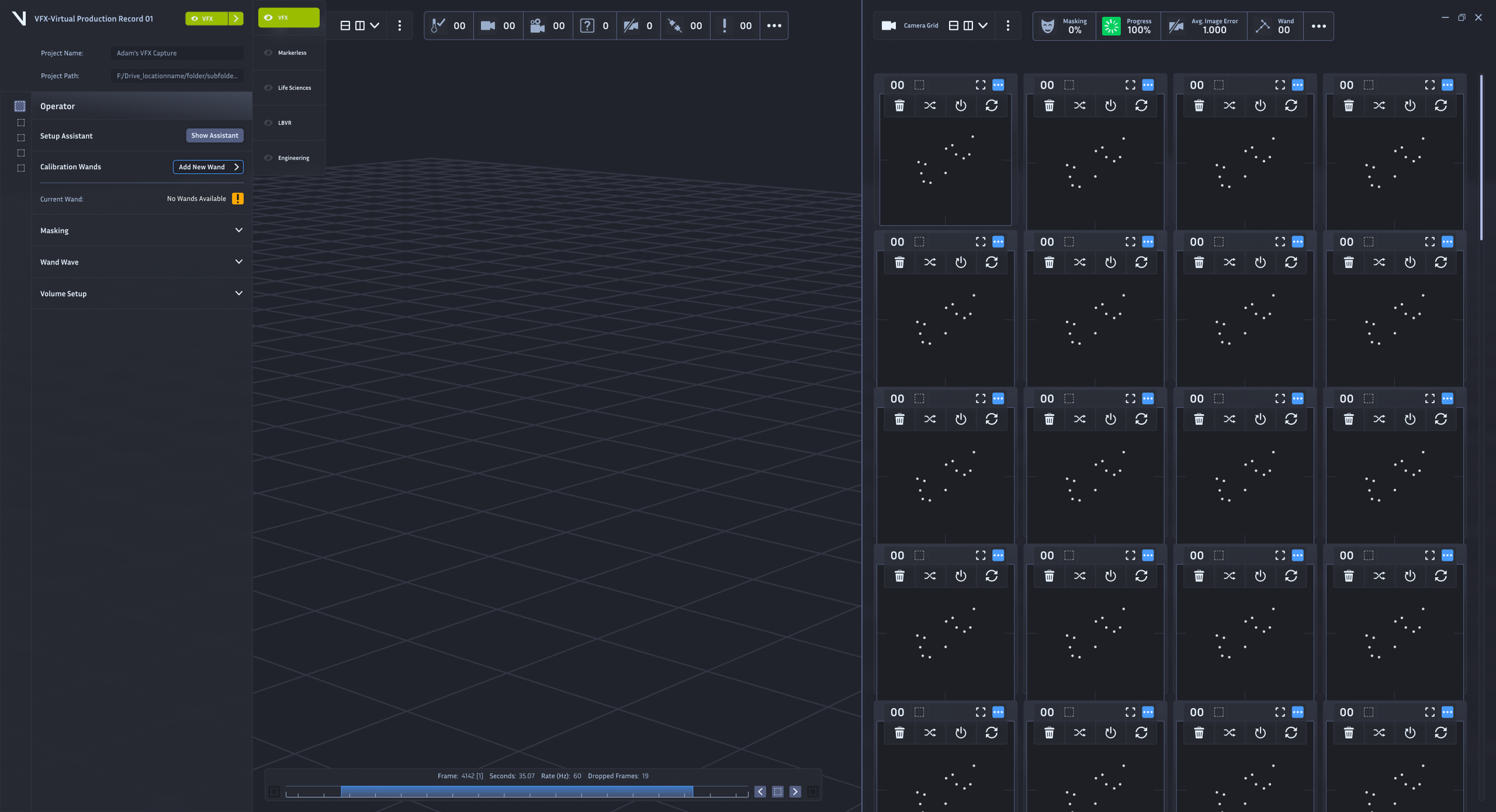
As lead UI designer, my responsibilities of creating an umbrella product that could house several industry spaces within it was a substantial undertaking. The diversity of the industries currently being offered spanned a broad spectrum, however there could be a lot of shared experiences that I could rely on to help me craft and make steps towards providing a solution that works for all.
Bringing New Features
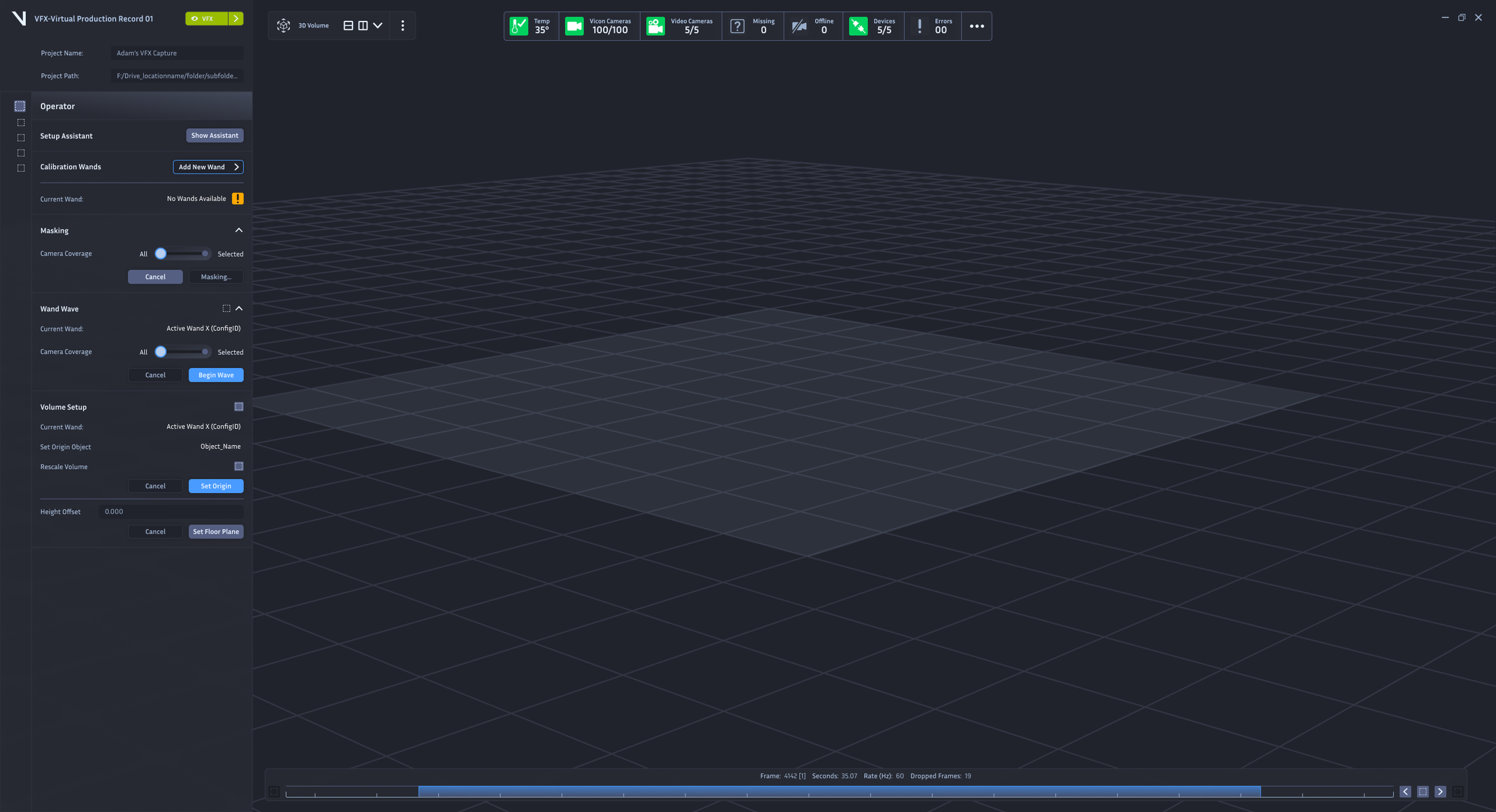
My extensive understanding of current products also helped me to cultivate and craft new feature suggestions that would bolster UX. A notable feature I am proud of offering is the contextual status bar, an ever-present toolbar in the app that would serve as an immediate and perpetual, as well as agile, solution to feedback within the system volumes. If any errors occurred or any statuses were changed the CSB would reflect this easily, and most importantly, clearly to the user.

One Platform to Rule Them All
Overview:
Built to house 7 existing products under one banner
Must be user-first
Introduces a new branding direction for the company
Brings excitement to a stale offering.
Glass Houses
Shortly before the advent of IOS liquid glass, I explored a similar approach to solve the problem of the Workspace Interfaces, which were not only dated in style, but complicated, greedy and unoptimized. I also had the notion to include a transparency so that the volume contents could be slightly visible behind any/all panes in view no matter what, opening the space and preventing a lot of navigation of the 3D view trying to hunt for subjects.
Iconography
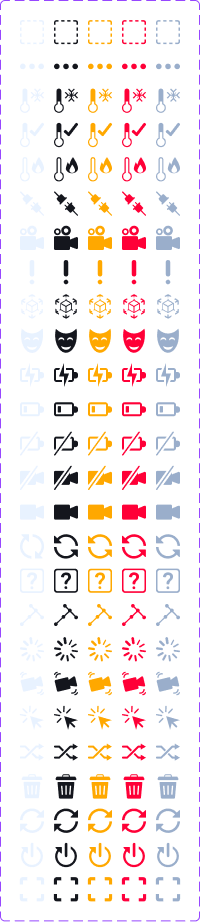
Supporting all of this UI design with asset creation as well.
A supporting project to run alongside all of my work was crafting consistent and overhauled iconography across the entire suite of products the company offered. This would also capture new icons that were necessary inclusions with new features, bringing better recognition and unique qualities to each, to achieve an overall more fluid user workflow.